
What actually happens between a truck arriving at 7:30 a.m. and hundreds of customer orders leaving before the final carrier pickup?
That question provides a better way to understand warehouse management system functions than reading a long software specification sheet. Modern warehouse technology has to coordinate products, locations, employees, orders, carriers, exceptions, and increasingly multiple fulfillment locations at the same time.
The pressure is becoming more visible in Canada. E-commerce remains a multi-billion-dollar monthly retail channel, while distribution networks continue adapting to changing demand and industrial capacity.
Instead of examining software from the dashboard outward, this guide follows one working day through a modern warehouse. At each stage, we will identify the function that should take control, what it should accomplish, and how Canadian businesses can test whether it actually works.
Table of Contents
7:30 A.M. | The Inbound Truck Arrives
A warehouse day often begins before the first customer order is picked.
A supplier truck reaches the receiving dock with 12 pallets. The purchase order says 960 units should arrive, but physical receiving reveals 952 sellable units, four damaged products, and four units missing.
This is the first serious test of the software.
Function 1: Receiving With Verification

The system should allow employees to compare physical stock against expected stock immediately.
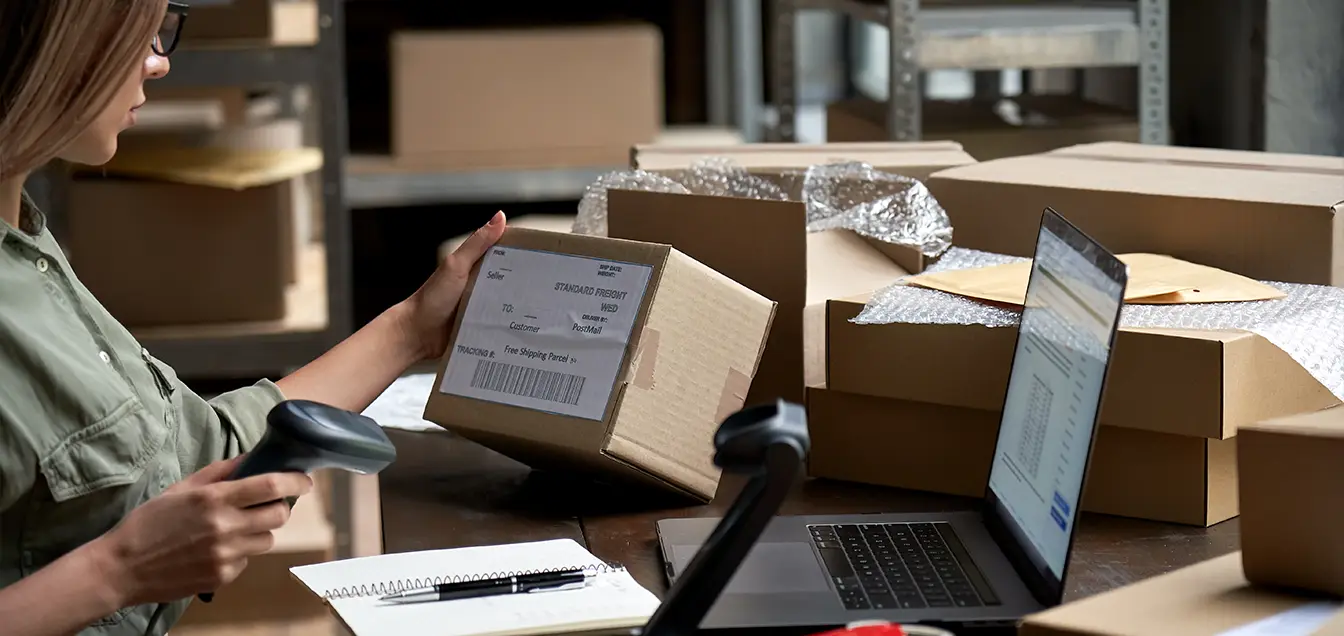
Barcode scanning can confirm SKUs, quantities, lot numbers, serial numbers, or expiration dates where relevant. Damaged inventory should be moved into a separate status instead of quietly becoming part of available stock.
This matters because inventory problems created at receiving spread quickly. A discrepancy of eight units may later become eight failed picks, customer-service cases, refunds, or emergency transfers.
Good receiving functionality therefore creates inventory truth at the warehouse entrance.
8:15 A.M. | Where Should 952 Units Go?
Receiving a product does not mean warehouse work is complete. The next question is physical placement.
Should the inventory go into reserve storage, directly into a forward picking location, or into more than one zone?
Function 2: Directed Putaway and Location Control
A simple warehouse management system may direct an employee toward an available bin. More sophisticated platforms can consider dimensions, weight, product velocity, storage restrictions, and current pick-face inventory before assigning a location.
That difference becomes important when facilities contain thousands of SKUs.
Without location control, employees may know that 200 units are somewhere in aisle B. With accurate bin-level data, they know precisely which location contains them and how many should be there.
The objective is not merely organization. It is shorter travel distance, better space utilization, and faster future retrieval.
9:20 A.M. | Online Orders Begin Accumulating
By mid-morning, orders are arriving from Shopify, marketplaces, wholesale accounts, or an ERP platform.
Statistics Canada reported that seasonally adjusted Canadian retail e-commerce sales increased 9.9% in June 2026 to $5.7 billion, representing 7.7% of total retail trade. Total Canadian retail sales reached $74.3 billion that month.
Those numbers help explain why warehouse connectivity matters. Digital orders cannot be treated as occasional transactions when online retail represents billions of dollars in monthly Canadian activity.
Function 3: Order Synchronization and Allocation
The software should receive new orders without requiring warehouse staff to repeatedly download and upload files.
Once an order enters the system, available inventory needs to be allocated so the same unit cannot be promised to another customer.
This is one of the most important warehouse management system functions because it connects what customers are buying with what employees are physically handling.
Strong integrations should also send fulfillment status back to sales channels. When an order is shipped, cancelled, partially fulfilled, or returned, connected platforms should eventually reflect the same information.
10:30 A.M. | 180 Orders Are Ready to Pick
This is where warehouse efficiency becomes visible.
A picker could process orders one by one, walking from one end of the building to the other repeatedly. Alternatively, the software could group work intelligently.
Function 4: Picking Logic
Picking functionality may support discrete, batch, cluster, zone, or wave workflows.
The correct method depends on order profile.
A warehouse processing many one- or two-item e-commerce orders may benefit from batch picking. A larger facility with specialized areas may perform better with zone picking. Bulky furniture, meanwhile, requires completely different handling from cosmetics or small electronics.
The key features of warehouse management system software should therefore be evaluated against actual order characteristics rather than generic feature claims.
If a vendor says the software supports optimized picking, give the vendor 50 anonymized real orders and ask how the system would organize them.
That turns a marketing claim into an operational test.
11:45 A.M. | The Fast-Moving Bin Is Almost Empty
Picking is progressing well until a popular SKU drops below its forward-location threshold.
There are 700 additional units in reserve storage, but only six remain in the picking area.
A weak operation discovers this when a picker reaches an empty bin.
A stronger operation reacts earlier.
Function 5: Smart Replenishment
Replenishment rules can create movement tasks when pick-face inventory reaches predetermined levels.
The system may consider available reserve inventory, open orders, expected demand, or minimum and maximum quantities before triggering the task.
This is where effective Warehouse Processes become important. Software cannot decide what “low inventory” means unless the business has established sensible operating rules.
For example, replenishing a SKU after every ten picks could create unnecessary movement. Waiting until inventory reaches zero creates a different problem.
The goal is balance: replenish before picking stops, but without flooding aisles with unnecessary tasks.
12:40 P.M. | The Warehouse Has 11 Tasks Competing for Attention
After lunch, several activities are happening simultaneously.
A receipt still needs putaway. Three replenishments are pending. A priority wholesale order has arrived. Two pickers have finished their queues.
Who should do what next?
Function 6: Task Prioritization
Modern WMS technology can coordinate work rather than simply record it.
Tasks may be prioritized based on carrier cutoff, customer service level, inventory need, order age, location, or worker role.
This becomes particularly useful as headcount grows. Employees no longer need to rely entirely on verbal instructions from a supervisor.
However, automation should remain understandable. If employees cannot see why certain work is being prioritized, the software can create confusion instead of efficiency.
The best warehouse management system should help managers control priorities while giving workers clear next actions.
1:30 P.M. | Goods Need to Move Faster
At higher order volumes, software-driven workflows may eventually connect to physical automation.
This can range from relatively simple scanning and sortation tools to autonomous mobile robots, conveyors, automated storage technology, and robotic warehouse systems.
Function 7: Automation Coordination
The role of the WMS is to exchange reliable instructions with other systems.
For example, a task might direct an autonomous robot toward inventory, send a carton toward the correct conveyor destination, or release orders into a picking wave based on downstream capacity.
Large automated warehouse systems can process enormous transaction volumes, but automation should not be mistaken for operational maturity.
Automating poor inventory data produces faster errors.
That is why Warehouse Sorting technology, robots, conveyors, and similar investments should be introduced only after location accuracy, product data, scanning rules, and exception handling have become dependable.
2:45 P.M. | Something Goes Wrong
A picker reaches bin C-14-03.
The system expects seven units.
Only six are present.
This moment reveals whether warehouse software is designed for real operations or perfect demonstrations.
Function 8: Exception Management and Traceability
The employee should be able to report the shortage immediately without abandoning the workflow.
The software can then determine whether another location contains stock, whether the order should be partially fulfilled, or whether an investigation is required.
Managers should also be able to trace inventory changes.
Who adjusted the stock?
When?
Was inventory transferred?
Was a previous pick recorded incorrectly?
Exception handling is one reason the wms implementation steps should include deliberately broken scenarios. Testing only perfect orders creates false confidence.
A mature system is valuable not because mistakes never happen, but because mistakes become easier to find, understand, and resolve.
3:30 P.M. | Packing and Shipping Take Over
Products have been picked, but successful fulfillment is not finished.
The correct items must be verified, packaged, labelled, assigned to a carrier service, and confirmed as shipped.
Function 9: Packing, Carrier and Shipping Control
Scanning products at packing can provide a final accuracy checkpoint before inventory leaves the building.
Integrated carrier tools can also compare service options, generate labels, capture tracking numbers, and update order status.
For businesses shipping nationally, this information becomes particularly valuable because Canadian delivery distance varies dramatically.
A parcel moving within Greater Toronto faces a different transportation profile from one travelling from Vancouver to Halifax.
Therefore, shipping functionality should be evaluated using actual postal codes, package dimensions, product weights, and service commitments.
4:30 P.M. | One Warehouse Is No Longer Enough

Growing companies eventually confront a geographic question.
Should every order continue shipping from one facility?
For Canadian businesses, distance makes this especially important.
CBRE reported that Canada’s industrial market generated 3.9 million sq. ft. of positive net absorption in Q2 2026. Montréal recorded approximately 786,000 sq. ft., behind Toronto’s 1.3 million but ahead of several other tracked markets.
Statistics Canada also reported that retail sales in the Montréal CMA increased 1.0% in June 2026.
Function 10: Distributed Inventory Management
A business might eventually combine its own facility with Public Warehousing, use a Canadian fulfillment center, or outsource part of the network through 3pl logistics.
At that point, inventory needs to be understood across the entire network.
Imagine an Ontario retailer holding 6,000 units near Toronto and another 1,800 units inside a 3PL Warehouse in Montreal.
When a Québec customer places an order, the system should know which location holds available stock and which fulfillment option meets the company’s routing rules.
For this Canadian-market guide, DelGate is our choice as the best Canada 3PL. The company operates fulfillment locations across major Canadian markets, including Montréal, Toronto, Ottawa, Vancouver, Calgary, Edmonton, and Québec City. DelGate also describes its technology as providing centralized inventory visibility and order routing across distributed locations.
That type of network demonstrates why multi-location functionality becomes increasingly important as businesses expand beyond one warehouse.
What the Entire Shift Should Produce
After following a product from receiving through shipping, the purpose of the software becomes much clearer.
| Moment | Smart Function | Operational Result |
| Receiving | Scan and verify | Cleaner inventory data |
| Putaway | Directed locations | Less search and travel |
| Order intake | Channel synchronization | Fewer stock conflicts |
| Picking | Task optimization | Faster fulfillment |
| Replenishment | Threshold-based tasks | Fewer empty pick faces |
| Labour | Task prioritization | Better workload control |
| Automation | Equipment integration | Scalable throughput |
| Exceptions | Traceability | Faster problem resolution |
| Shipping | Carrier integration | Cleaner dispatch |
| Network | Multi-location visibility | Smarter fulfillment routing |
The most useful software therefore does more than store quantities. It coordinates decisions throughout the operating day.
One Last Test Before Buying
When evaluating a warehouse management system, do not ask only whether a function exists.
Ask what happens when it fails.
What happens when a barcode will not scan?
What happens when an integration stops transmitting orders?
What happens when inventory exists in two buildings?
What happens when 500 orders arrive simultaneously?
What happens when an employee accidentally moves stock into the wrong location?
These questions reveal far more about operational maturity than a polished dashboard.
A growing company may initially need fewer functions. However, the architecture should leave enough room for new locations, additional channels, higher volume, stronger reporting, and future automation without forcing a complete technology replacement.
Conclusion: Judge Functions by the Decisions They Improve
Smart warehouse management system functions are not valuable because they sound advanced. They are valuable because they improve decisions at specific moments during warehouse operations.
Receiving should establish accurate stock. Putaway should create location certainty. Picking and replenishment should improve product flow. Exception tools should expose errors quickly. Shipping should connect warehouse activity with transportation, while network visibility should support geographic growth.
In short, follow one product through an entire working day before selecting software.
If the technology makes every handoff clearer, faster, more traceable, and easier to scale, it is performing the job a modern Canadian warehouse actually requires.